Check in from the guest list
Search names and check guests in on any device.
- Open the My Events menu (top right) → Check-In Guests.
- Pick the date and click Begin Checking-In this Event.
- Search by name, email, order # or table (type Table 7).
- Click Check In Entire Order, or ☰ to check in single tickets. Click Checked In to undo.
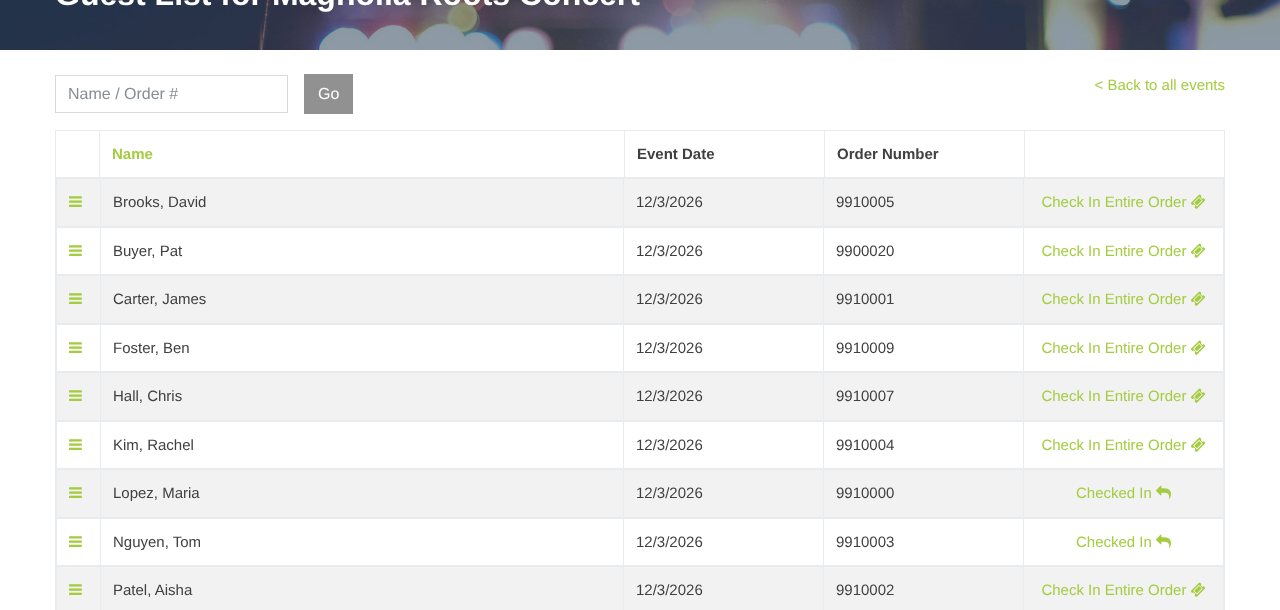
The green badge at the top shows how many guests are checked in, like 312 of 450 checked in. On a phone, the MainGate Check-In app is faster.
For a printed door list, run the Customer Manifest.
Still stuck? Call 713-303-4094 or send us a message.