Preview and publish your event
Check your page, then put it on sale.
Preview
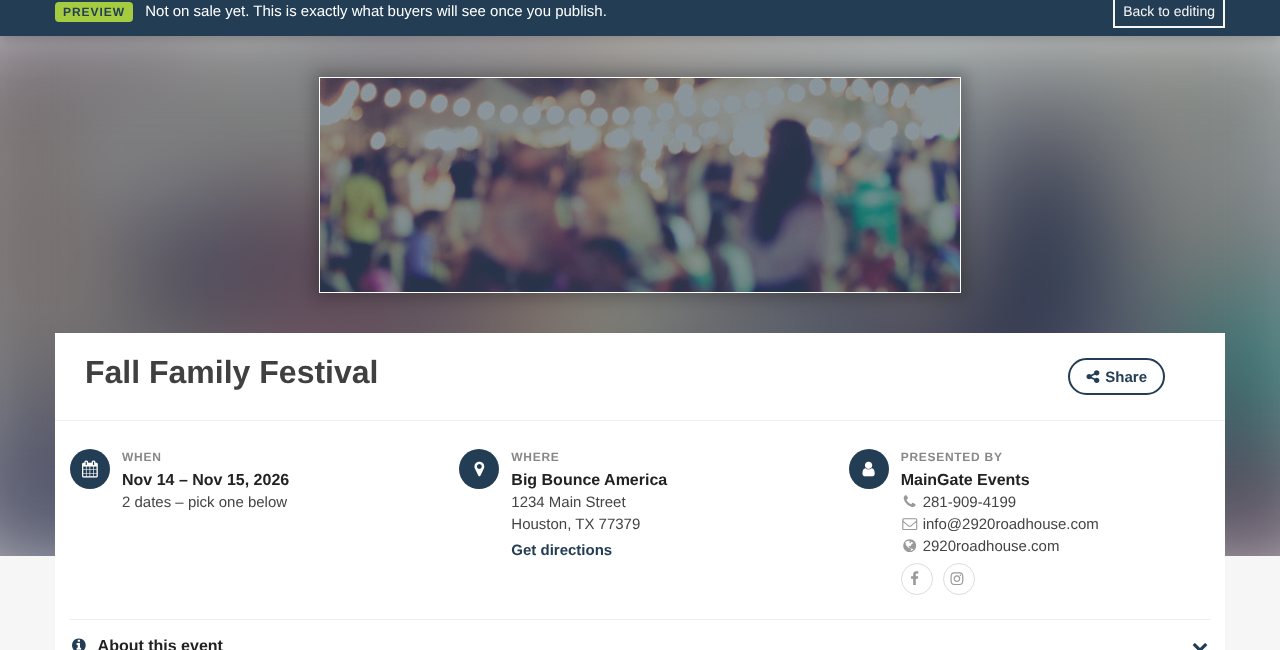
Click Preview in the bottom bar. Your page opens exactly as buyers will see it, with a PREVIEW bar on top. Checkout is turned off while it's Pending.
Status
| Status | What it means |
|---|---|
| Pending | Being built. Buyers can't see it. |
| Published | Live for everyone and listed on MainGate. |
| Private | Live, but not listed. Only people with the link can buy. |
- In the bottom bar, click Published or Private.
- Click Save Event.
Heads up: If Stripe isn't connected yet, your changes save but the event stays Pending. A One last step box shows the Connect Stripe button.
Still stuck? Call 713-303-4094 or send us a message.