Add dates and times
One-time, repeating or timed-entry dates, and how many tickets each one has.
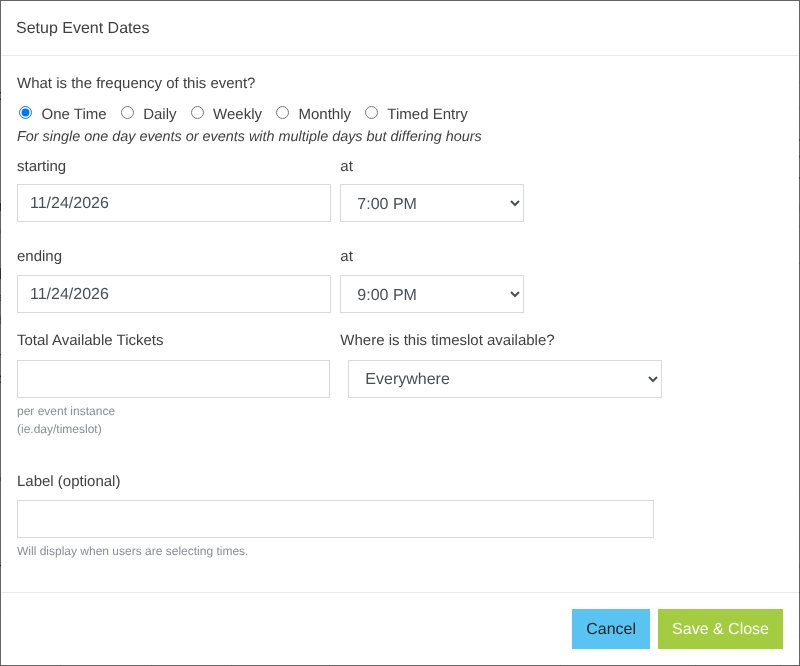
- In Dates & Times, click Set an event date (or + Add Event Dates).
- Pick how often it happens: One Time, Daily, Weekly, Monthly or Timed Entry.
- Set the start and end date and time.
- Enter Total Available Tickets for each day or time slot (leave blank for no limit).
- Pick Where is this timeslot available?: Everywhere, Online Only, POS Only (box office) or Admin Only.
- Optional: a Label buyers see when picking times (e.g. "Early entry"). It shows under the time on the time button.
- Click Save & Close.
| Choice | Use it for |
|---|---|
| One Time | A single show, or multi-day with different hours |
| Daily / Weekly / Monthly | The same hours repeating over a date range |
| Timed Entry | Entry every 10 minutes to 3 hours (makes one slot per interval) |
What buyers see: with 7 dates or fewer, buyers get one box per date instead of a calendar. Times show as big buttons, two per row, with the label under each time. Tick Display entry times only to show just the start time.
Other date options
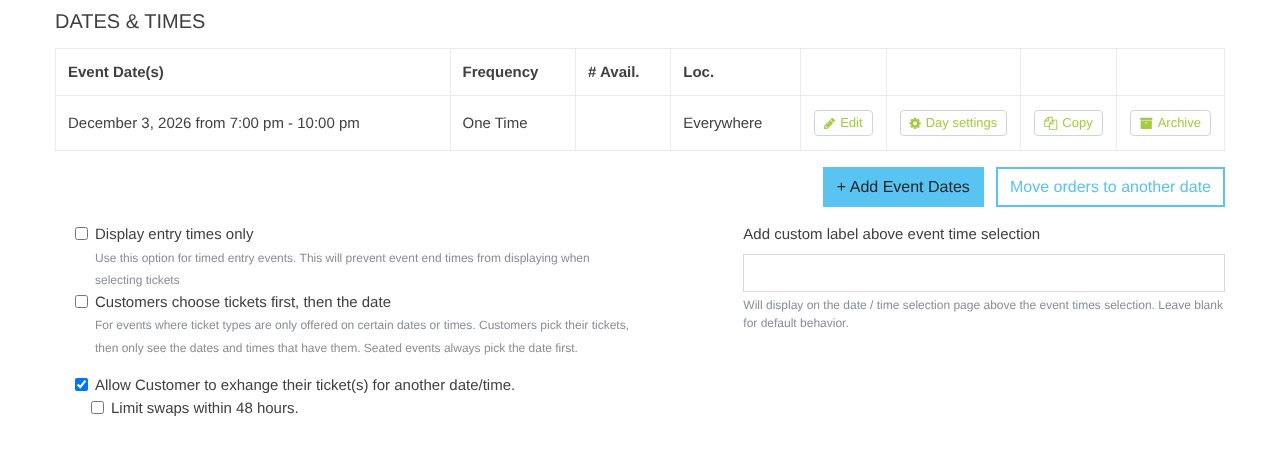
- Display entry times only: hides end times (timed entry).
- Customers choose tickets first, then the date: see Tickets before dates.
- Add custom label above event time selection: your own heading over the times.
- Row icons: ✎ Edit, ⚙ Day settings (per-day capacity), Copy, Archive.
Heads up: Archive hides a date from sale for good. Its orders stay in your reports.
Still stuck? Call 713-303-4094 or send us a message.