Refund an order
Full or partial refunds, with or without fees.
Who can do this: MainGate staff, and organizers that have refunds turned on.
- Find the order and click ? Order Hub.
- Tick the tickets to refund. Each ticked ticket is voided and goes back on sale.
- Choose Refund full ticket amount (price + fee + tax) or Refund face value only (fee not refunded).
- Optional: add an Additional refund amount.
- Pick a Reason for refund.
- Click Stripe Refund. Use Manual Refund only to record money you returned some other way.
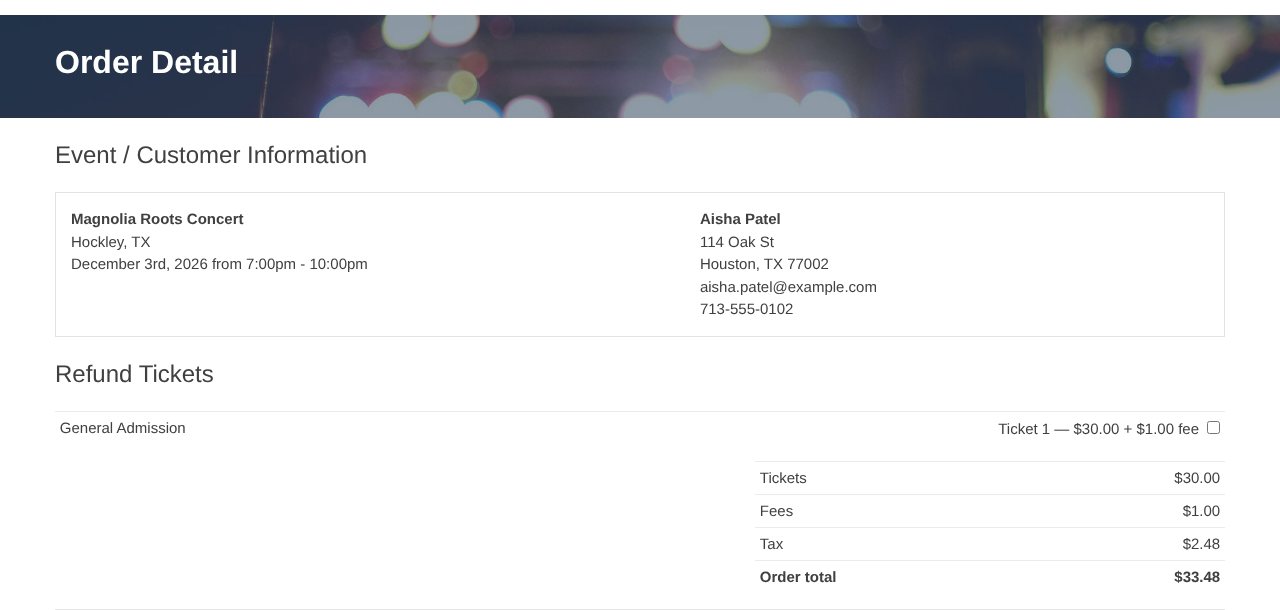
The buyer gets a refund email. Banks take 3–5 days to post it. Tick Inactivate all tickets in this order to void every ticket.
Heads up: The organizer pays the MainGate fee on refunded tickets. Orders with refund protection should claim through Ticket RBO ([email protected]).
Still stuck? Call 713-303-4094 or send us a message.