Add ticket types
Free, paid, seated and donation tickets.
- In Ticket Type, click Add your first ticket (or + Add Ticket).
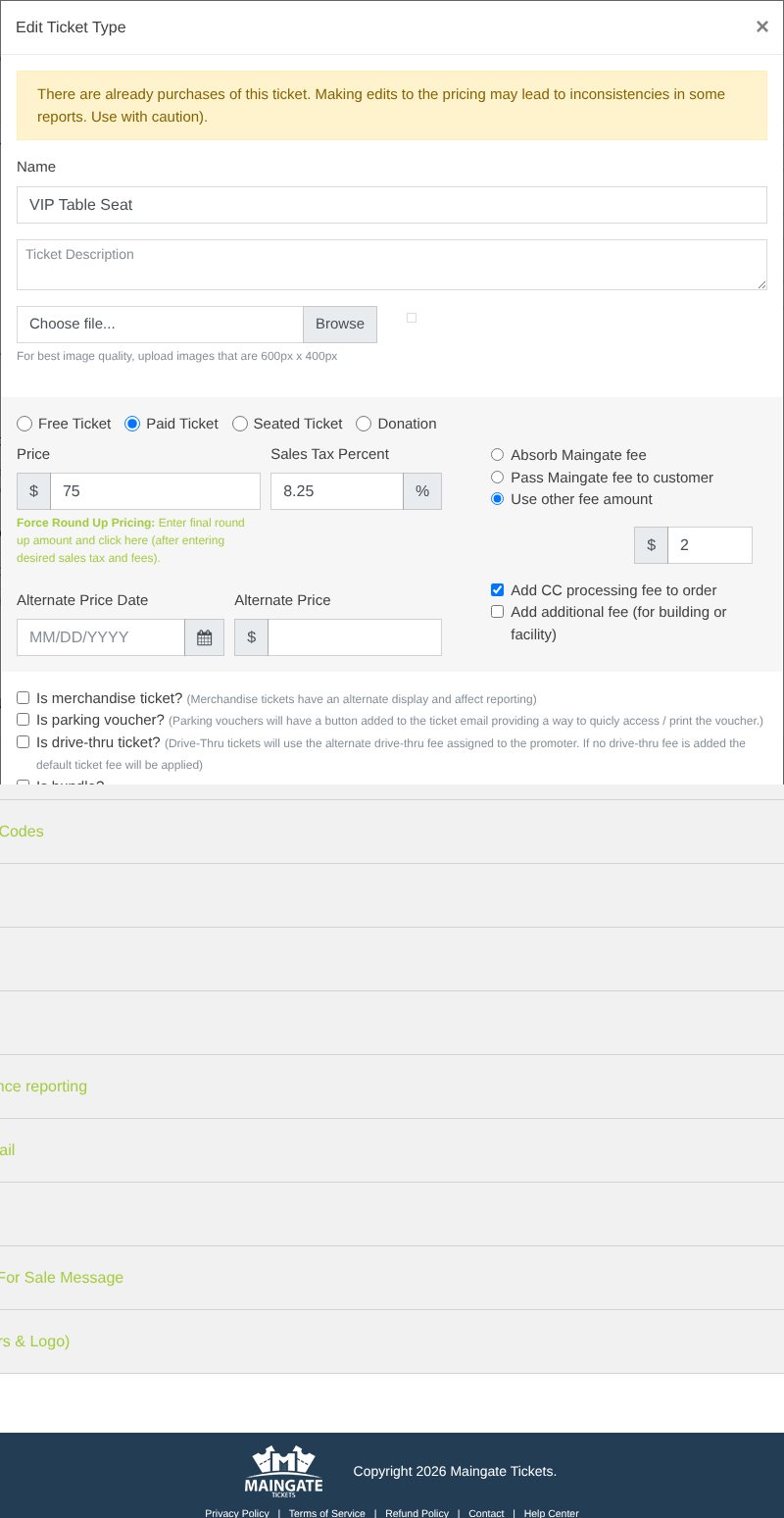
- Enter the Name and an optional Ticket Description and picture.
- Pick the kind: Free Ticket, Paid Ticket, Seated Ticket or Donation.
- Enter the Price and Sales Tax Percent.
- Choose who pays the fees (see Ticket fees).
- Set quantities and sale dates (see Sale dates and limits).
- Optional: a Compare-to Price shows your regular price next to today's price with "You save $X", and a Group (like VIP Packages) lists ticket types together in a section buyers can open and close.
- Click Save & Close.
| Kind | Use it for |
|---|---|
| Free Ticket | RSVPs and free entry |
| Paid Ticket | Regular admission, VIP, add-ons |
| Seated Ticket | Buyers pick a seat or table on the map. See Seated events. |
| Donation | Buyer gives an amount (with a suggested amount). Not discounted by promo codes. |
Drag the handle on the left of the list to change the order buyers see. Row icons: ✎ Edit, Copy, Archive.
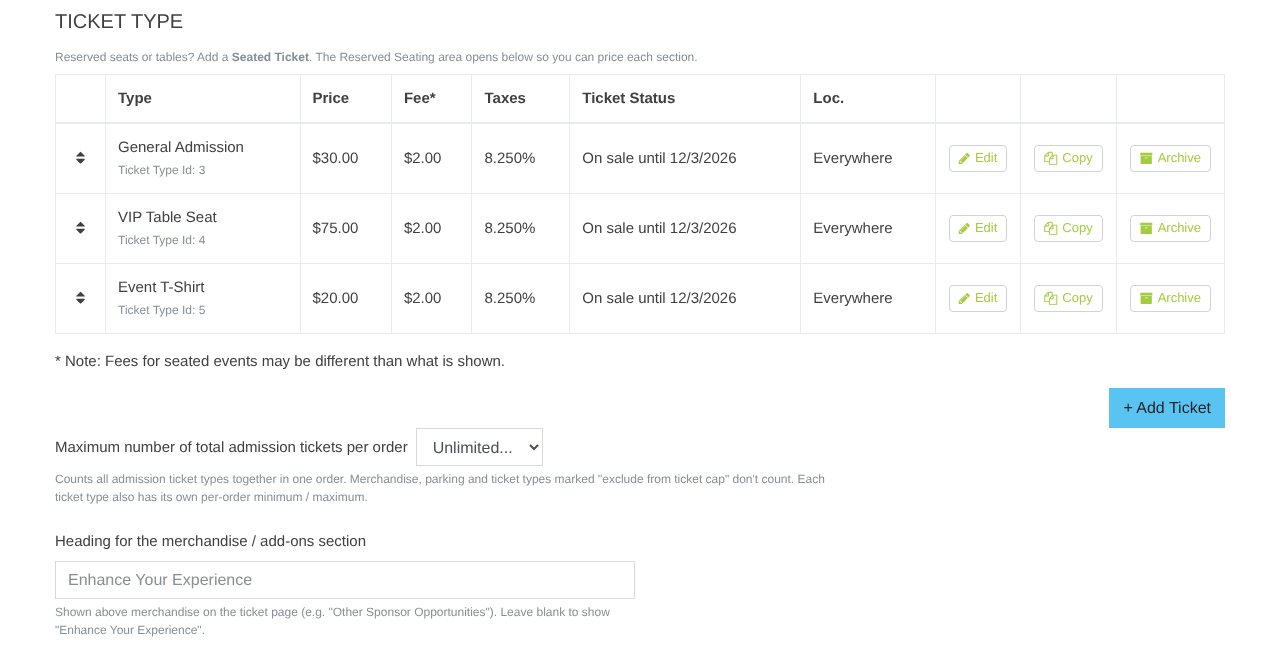
Heads up: Tickets already sold keep their price. Changing a ticket that has sales can make some reports inconsistent, so add a new ticket type when you can.
Still stuck? Call 713-303-4094 or send us a message.