Find and print my tickets
Your tickets are in your email and in My Tickets.
- Go to maingatetickets.com and log in (My Account, top right).
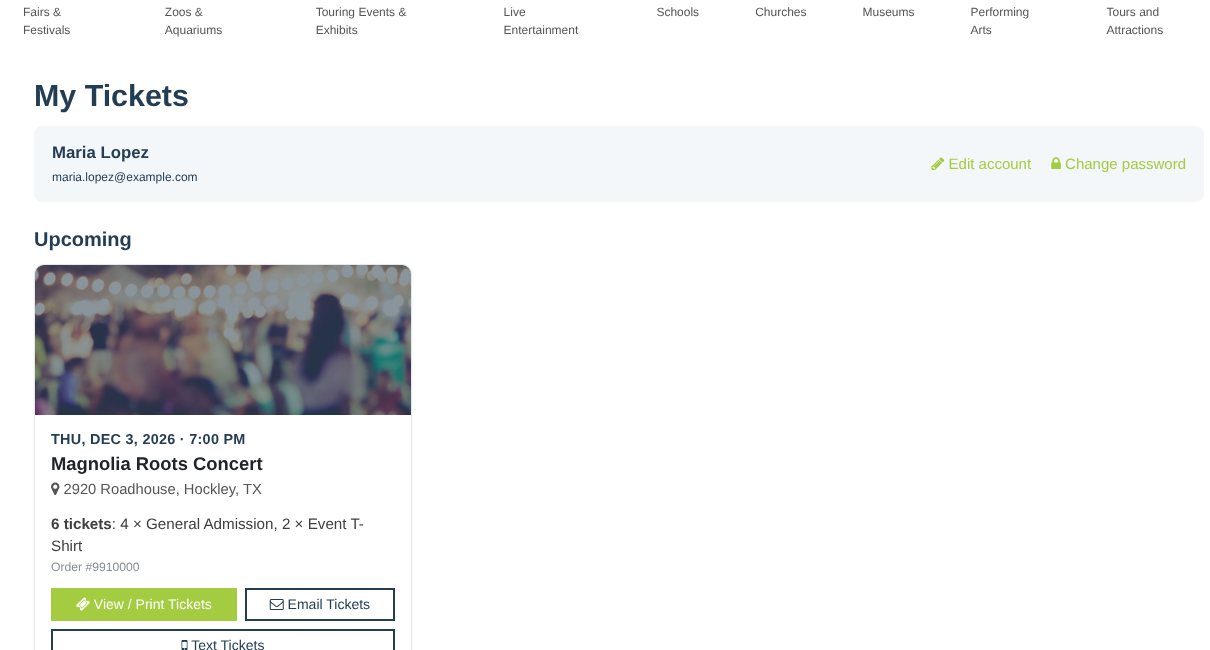
- You'll see My Tickets with your upcoming events.
- Click View / Print Tickets, Email Tickets or Text Tickets.
- Show the QR code on your phone or a printout at the door.
- On iPhone, tap Add to Apple Wallet. On Android, tap Add to Google Wallet. The buttons are in your ticket email and on your tickets when you open them on your phone.
- Can't find the email? Check spam, or use Email Tickets above.
Still stuck? Call 713-303-4094 or send us a message.